Repair Microsoft Backup (BKF) Files
Recover Files from Corrupt or Damaged NtBackup or Veritas BKF files
Repair MS Backup Files Effortlessly in an Unproblematic Way
Need quick data retrieval tool to recover files from corrupt bkf?
Extract files from corrupt bkf and salvage folders from BKF file easily.
"Facing MS Backup corruption? Repair BKF Files with SysTools BKF Repair Tool"
Anything when damaged needs to be repaired for proper usage. Same goes for the backup data in a computer system. When your Microsoft backup gets corrupted or damaged, you need to Repair MS Backup instantly by using an efficient and result-oriented backup recovery tool before the space taken by those files gets overwritten and you lose all your significant data permanently.
The much useful and safe Windows backup storage where you can safely store data items like text files, emails, music files, images, pictures, documents and other items without worrying about their loss is also not 100% safe and is subject to damage. When any such thing happens and BKF files get corrupted, you might come across the following errors while trying to open those BKF files:
- An inconsistency was encountered on the requested media
- The backup file contains unrecognized data and cannot be used
- The backup file is unusable. You must erase it, or choose another file
- The fixed media is full. You cannot back up all of the specified data to this disk device. The backup operation will stop
Download SysTools BKF Repair Tool
Download the Demo of SysTools BKF Repair Tool at zero payment !
You are recommended to download the FREE Demo version of the SysTools BKF Repair software tool first to know the software, its functioning and its use according to your need. Only after being fully satisfied you should buy the Full version. This will help you judge the usefulness and evaluate the efficiency of the software. Demo version gives you the preview of recovered MS backup files.
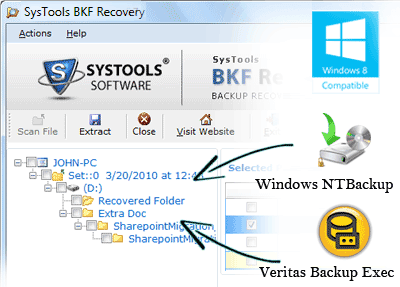
The Software easily recovers pictures, images, emails, music files, documents etc from the corrupt backup files created using NTBACKUP.exe or Veritas Backup Exec.
Why Backup Files Corrupt?
Data backup corruption can happen due to many unwanted, unplanned and irreversible reasons that can occur with anyone anytime without prior notice. Some of these reasons are:
- Virus attack or Trojan infection
- Backup software malfunction
- Upgradation to Vista which does not support NTBackup
- Abrupt and inappropriate system shutdown
- Failure of the system software
- Hard drive crash
- CRC errors
- Missing catalog files
- Backup interruption
- Software corruption
All these reasons can lead to immediate backup corruption. Along with these, there can be many other such unpredictable reasons that can make you lose your backup data. Precaution is surely better but if you don't know it coming then you cannot take precaution. So, there is no point in giving complete concentration to - "Why backup corruption happened?" Your main focus should be on - "How can I save my backup files now after corruption has taken place?"
Use a reliable Backup Recovery Tool for restoring backup files and flawlessly repair MS backup instantly. SysTools is the right place to get it and to get it easy!
Features of SyTools BKF Repair Software
SysTools BKF Repair software can repair MS backup and restore backup files:
Easily:
The Graphical User Interface of the BKF Repair software tool of SysTools is very interactive and user-friendly.Effortlessly:
There won't be any requirement of tough effort to get successful MS backup repair results.-
Instantly:
It will take just a few minutes to complete BKF Recovery process using this software. Originally:
No backup data information is altered or deleted in the recovery process.-
Completely
All 32 Bit MS Windows versions (Vista, 2K, XP and 2003) are supported by this system backup repair software. Whether you want to Repair Windows XP Backup or Windows 2000 backup or for any other version, this is the apt tool for you. Further, BKF file recovery is done by the preservation of whole metadata of every recovered backup file. Limitlessly:
The software can repair MS Backup Files of unlimited size (more than 300 GB).-
Cost-effectively:
You can get the Personal license for the BKF Repair tool just for $89.
Buy the Full Version of BKF Repair Software
![]()
Version - 4.3
File Size - 1064 KB
Related Problems
SysTools BKF Repair Tool provides complete solution for:
- How to extract files & folders from BKF files?
- How to search specific files from BKF Files?
- How to Open BKF files ?
Software Help
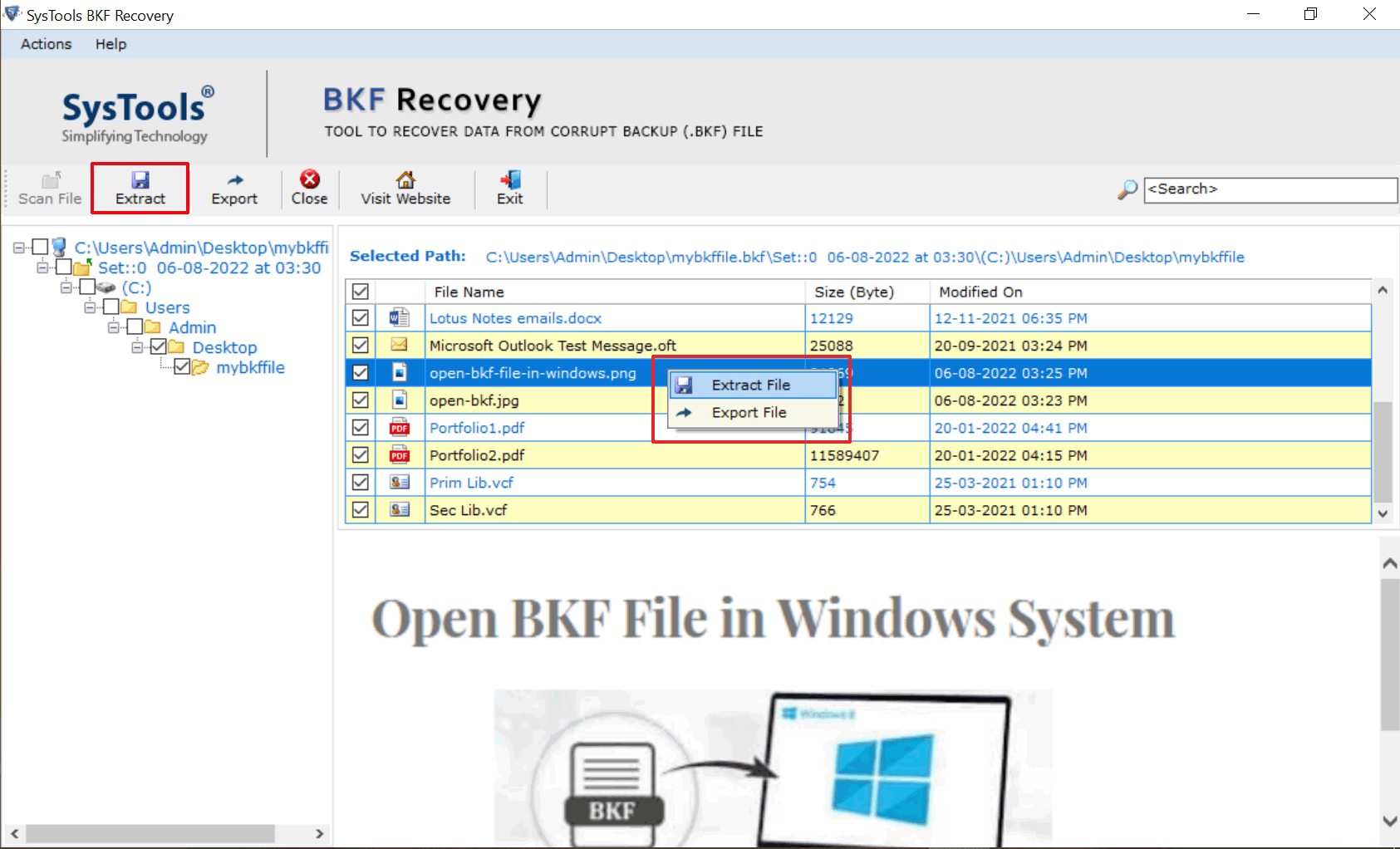
SysTools BKF Repair is easy and involves only 3 to 4 simple steps to perform:
- Load BKF File
- View content of the files in BKF
- Extract files from BKF file
Our Other Useful Tool
SysTools Software offers many useful software and solution to help all users:
- Word File Repair Tool
- Excel File Repair Tool
- Zip File Repair Tool
- Access Database Repair
- SQL Database Repair
- ODT File Repair Tool
- Lotus Notes to Outlook
- Outlook to Lotus Notes
- Outlook Express Restore
- PDF Bates Stamping Tool
24x7 Support
Get the Support any Time
For any query about the software, its use, its features or its purchase, you can contact our support team of highly proficient professionals who are available 24X7 for your help and support.
Awards & Reviews
![]() |
![]() |
View Client Reviews
"We used this MS Backup Repair software. The software works very fast. I got surprised when the software repaired our BKF file heaving 200 GB file size within minutes. Really its very good utility for repairing BKF files. Many-2 Thanks for SysTools Software developer team for providing this utility"
Nuvan Shekh
Thanks for your Support team. We got continuously support from your team.
Yacky Gona
I am very thankful your support team and developer team. Your both team provided me regularly support and also solved my technical issue. Your software is too good. Its works very fast and very easy to use.
Albanu